NTS Super Bridge.
The Bridge is a small Windows app that runs on the same PC as your MT5. It logs into your Telegram account (read-only via MTProto) so it can read private channels the Bot API can't reach, then routes per-account groups to the right MT5 terminal. Trade Copier Ultimate connects to it on http://127.0.0.1:<port> — nothing ever leaves your machine.
The Live Pipeline.
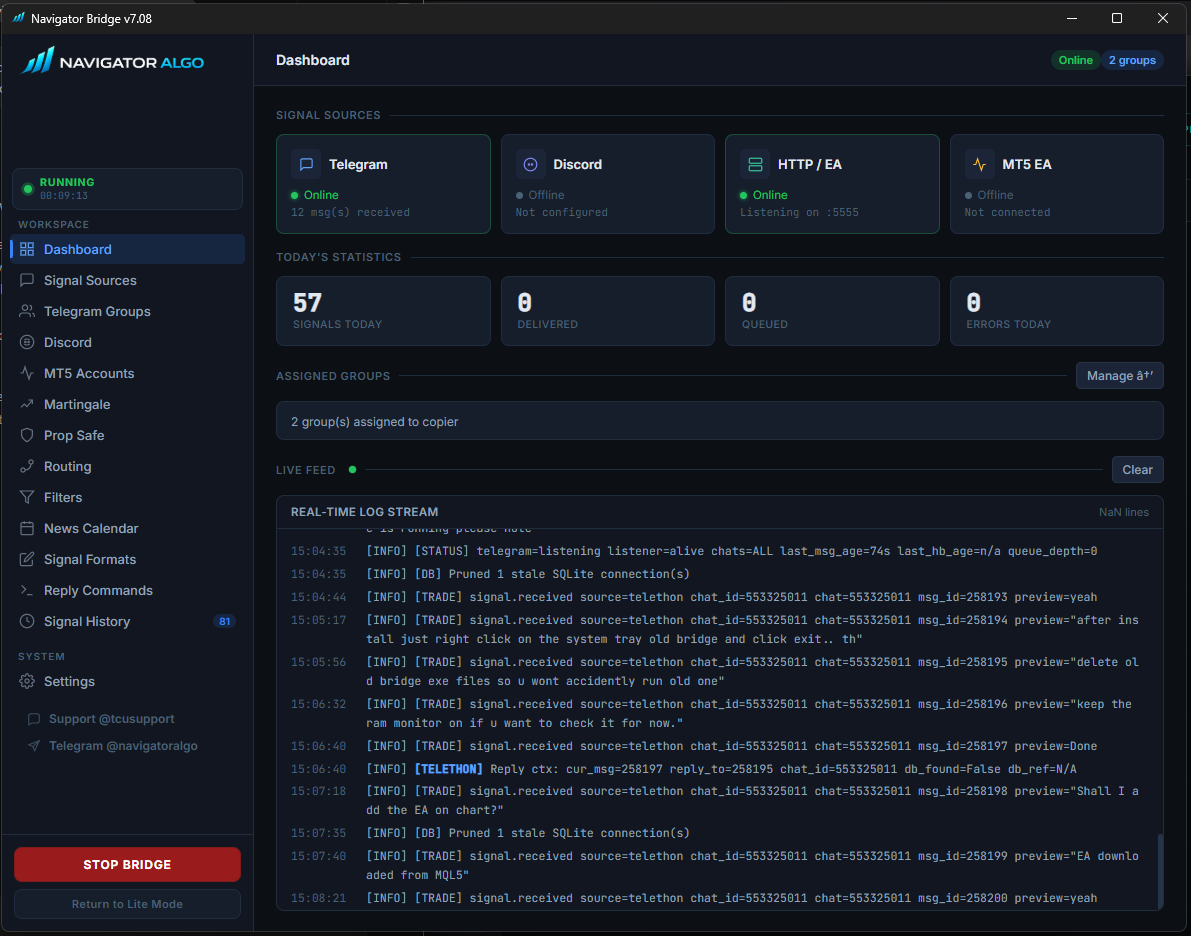
The Dashboard is your operational command center. Watch signals arrive, get parsed, and be routed to your MT5 terminals in real-time.
Monitor your Bridge uptime, Telegram MTProto client connection, and local HTTP server status at a glance. The real-time console shows exactly what the Bridge is doing: connecting to groups, receiving messages, parsing formats, and maintaining SQLite queues.
Ingest from anywhere.
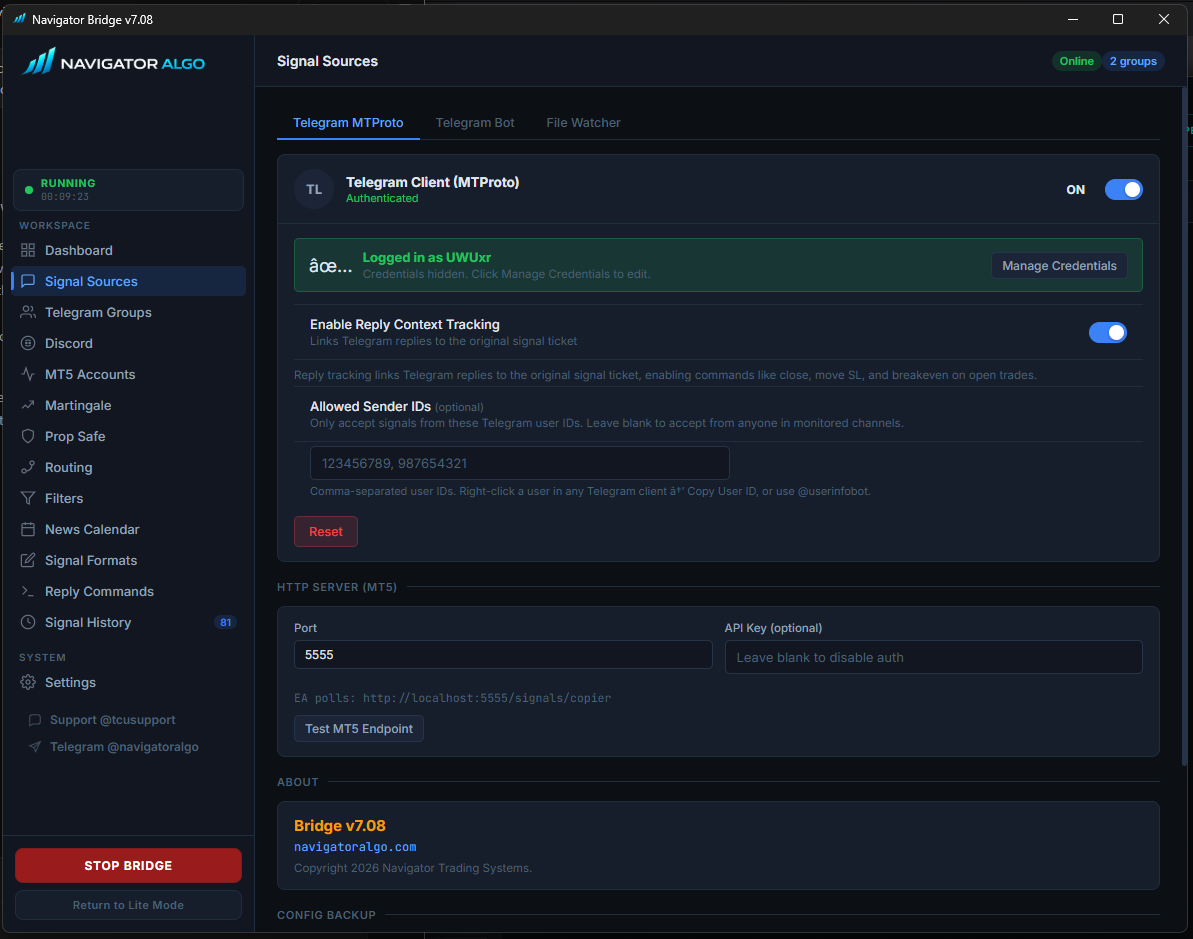
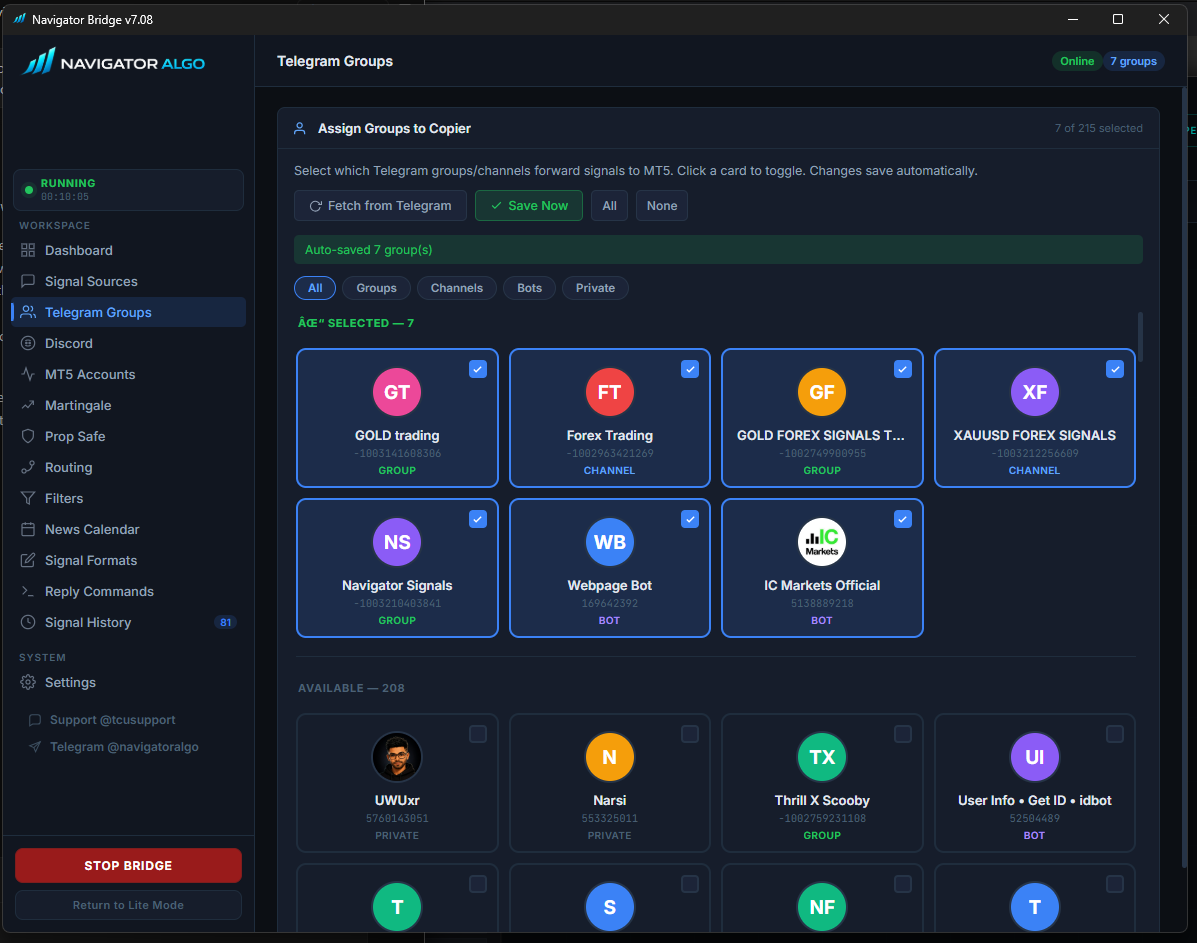
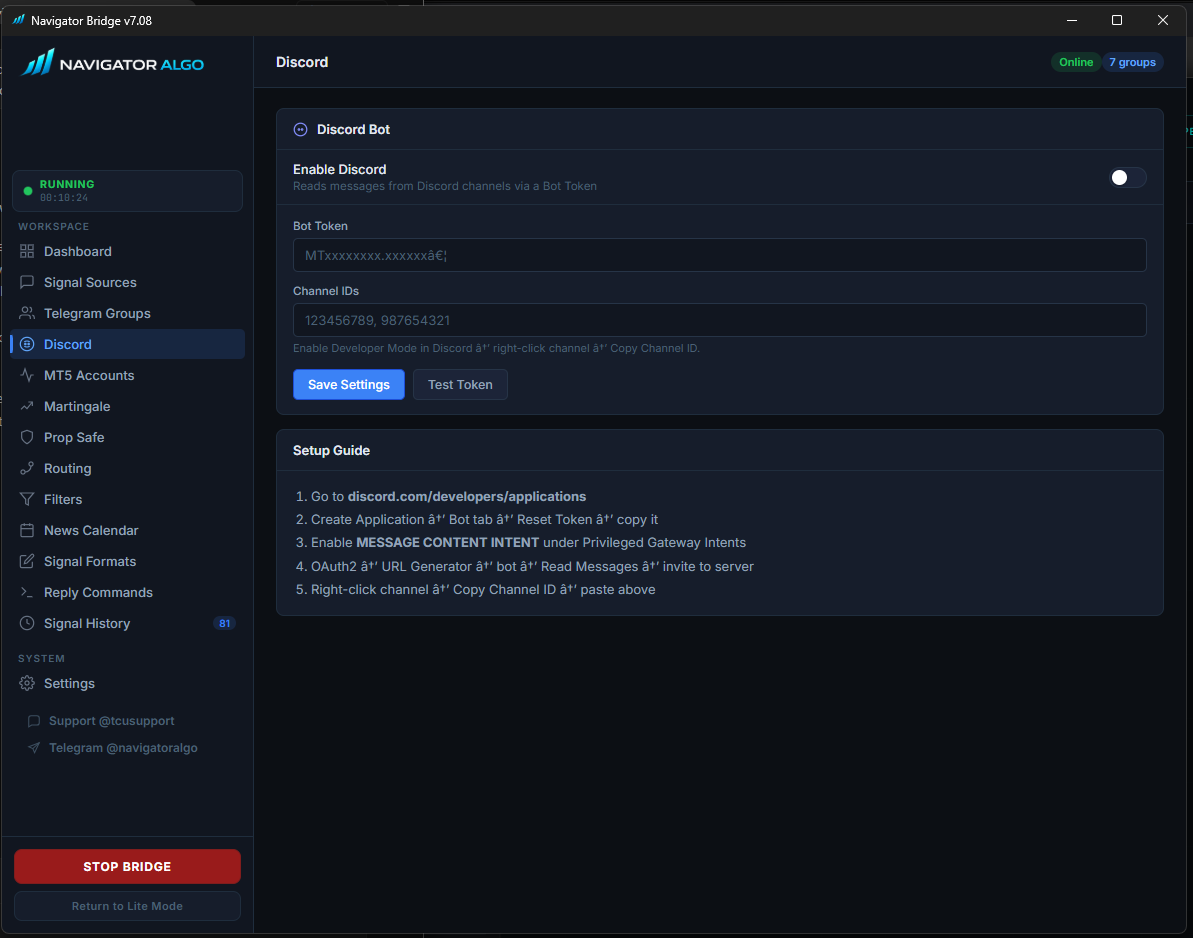
Connect the Bridge to your own Telegram account to read private VIP channels, or use Discord webhooks.
The Bridge acts as a read-only Telegram client, pulling messages from any group you are a member of. It lists every group you're in—simply select which channels forward signals to MT5. You can also enforce Allowed Sender IDs to block spam in public channels and enable Reply Context Tracking for advanced trade management.
One Bridge, Many Terminals.
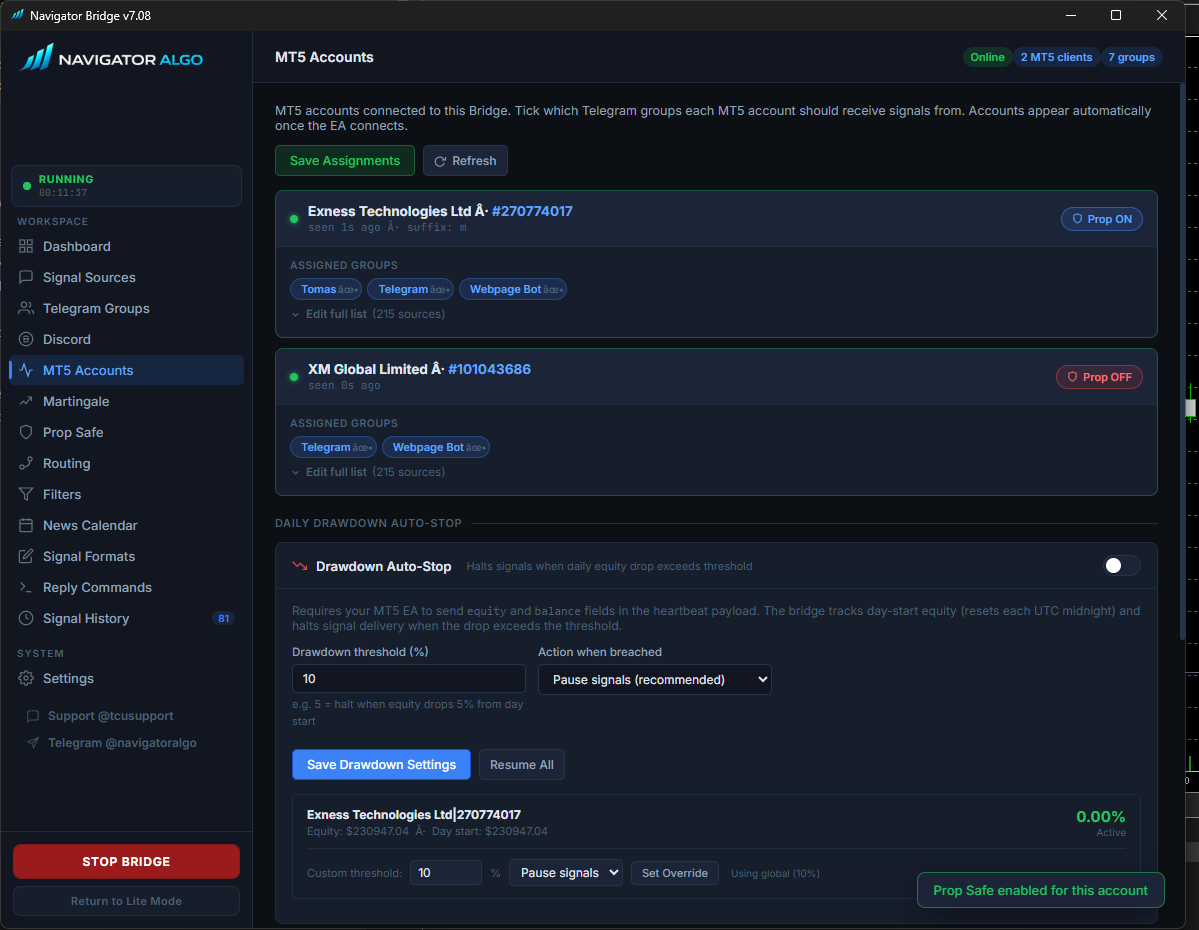
Route specific Telegram groups to specific MT5 accounts automatically.
The Bridge acts as a smart router. Assign your high-risk "Gold VIP" signals to your personal account, while conservative signals go to your Prop Firm account. In v7, you can also enable Daily Drawdown Auto-Stop on a per-account basis—the Bridge will automatically halt signal delivery if your equity drops beyond your configured threshold.
Trade invisibly, pass challenges.
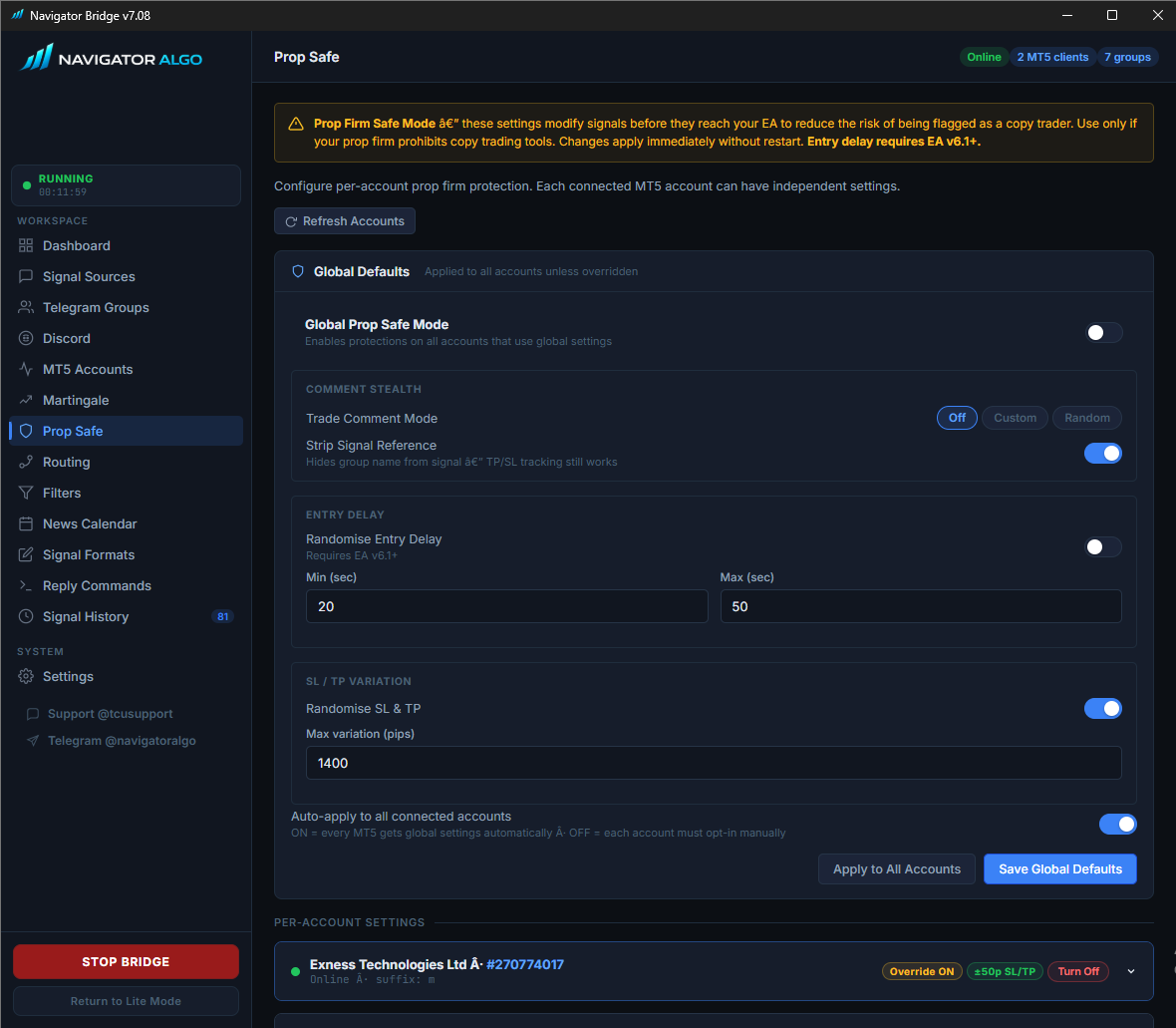
Modify signals before they reach your EA to reduce the risk of being flagged as a copy trader.
Configure protections globally or override them per-account. Features include Comment Stealth to strip signal references, Randomised Entry Delays to prevent microsecond-perfect execution footprints, and SL / TP Variation to slightly randomize target levels so your trades don't exactly match hundreds of others.
Block the noise, pass the signal.
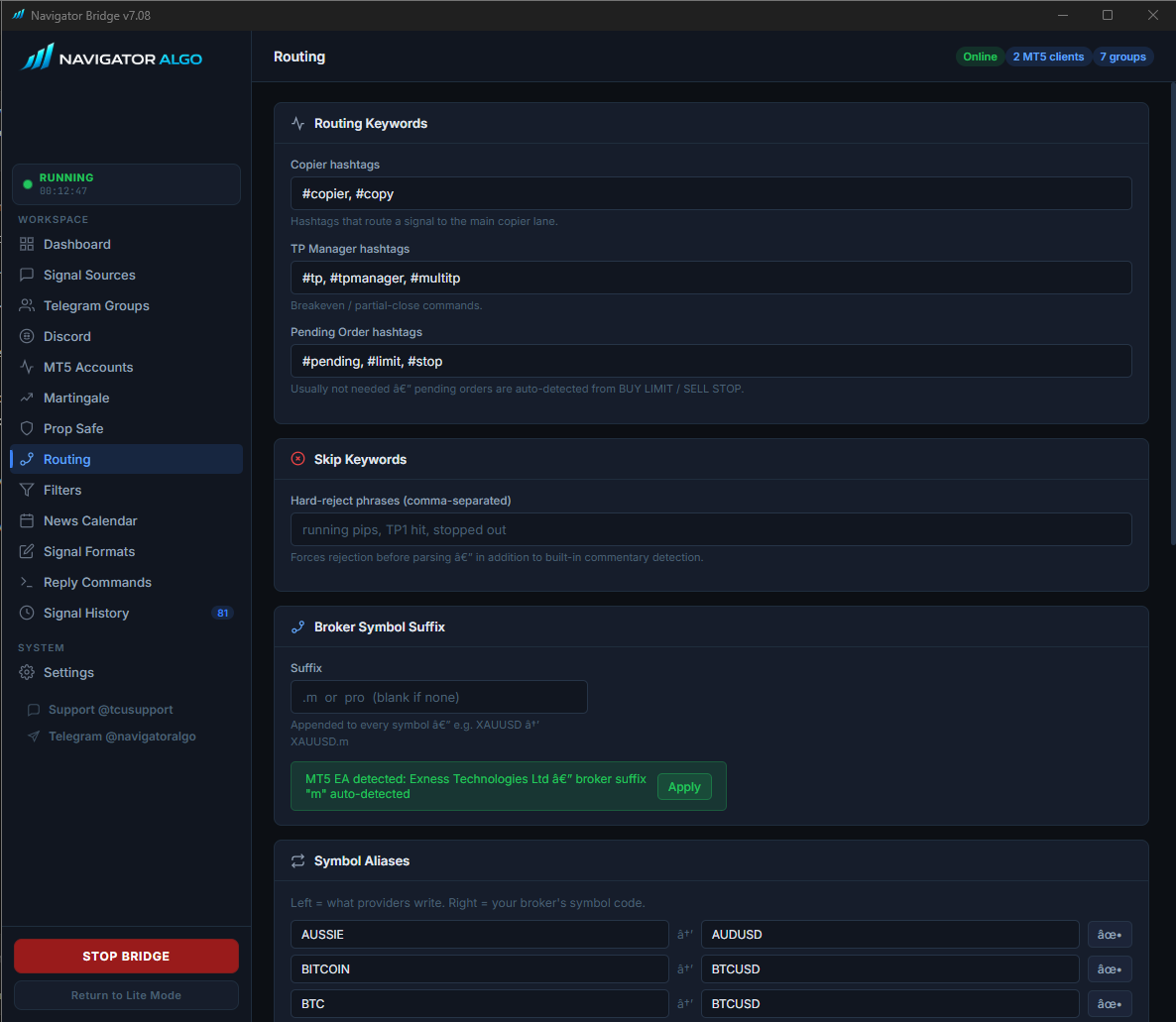
Clean up your provider's mess before it ever reaches your EA.
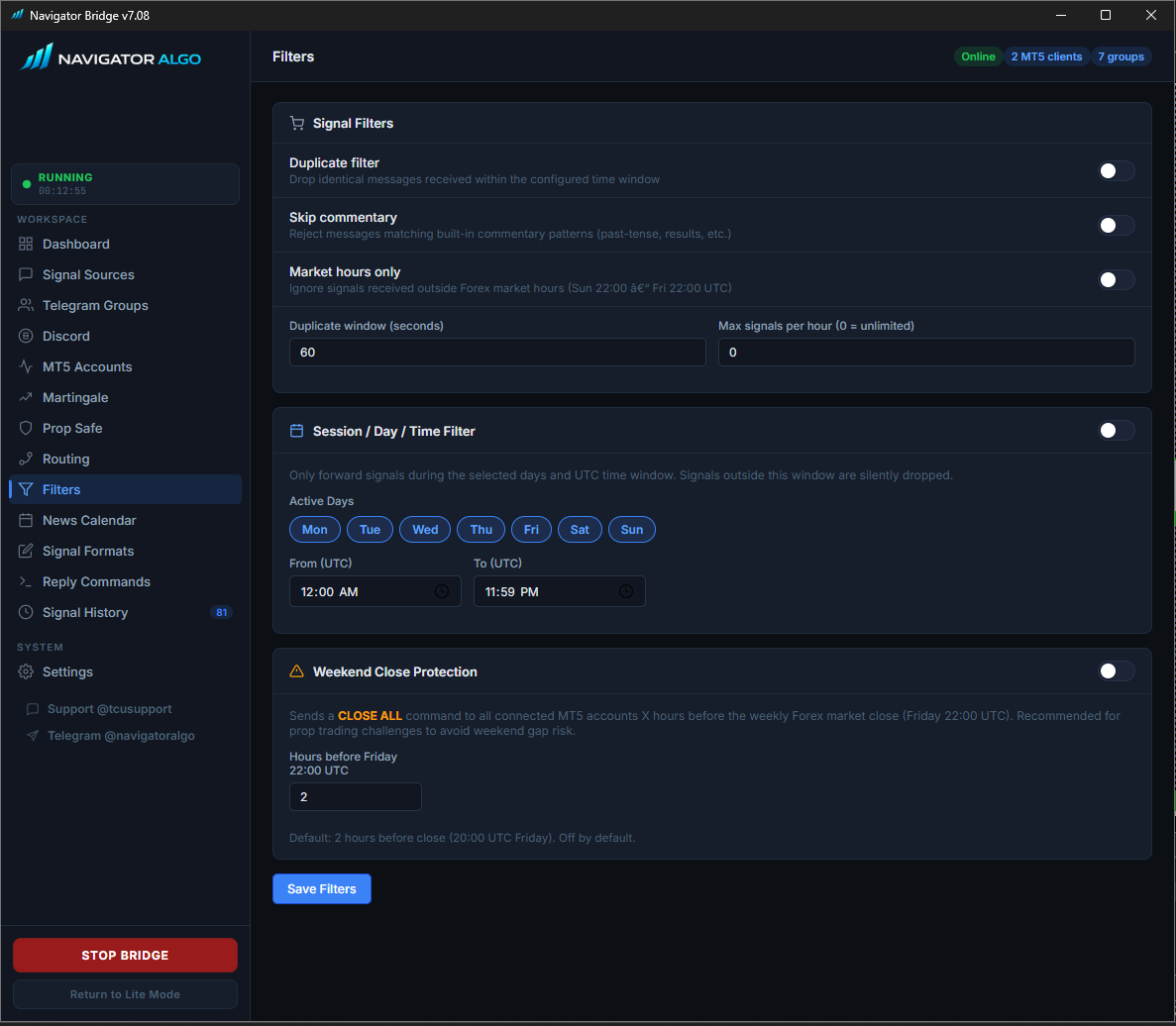
Configure Duplicate Filters to drop identical copied signals within a time window, use Skip Keywords for rejecting chatty updates, and restrict trading to specific Session Days/Times. The Bridge also features Weekend Close Protection to automatically send a CLOSE ALL command hours before the Friday market close, protecting you from weekend gap risk.
Built-in ForexFactory Integration.
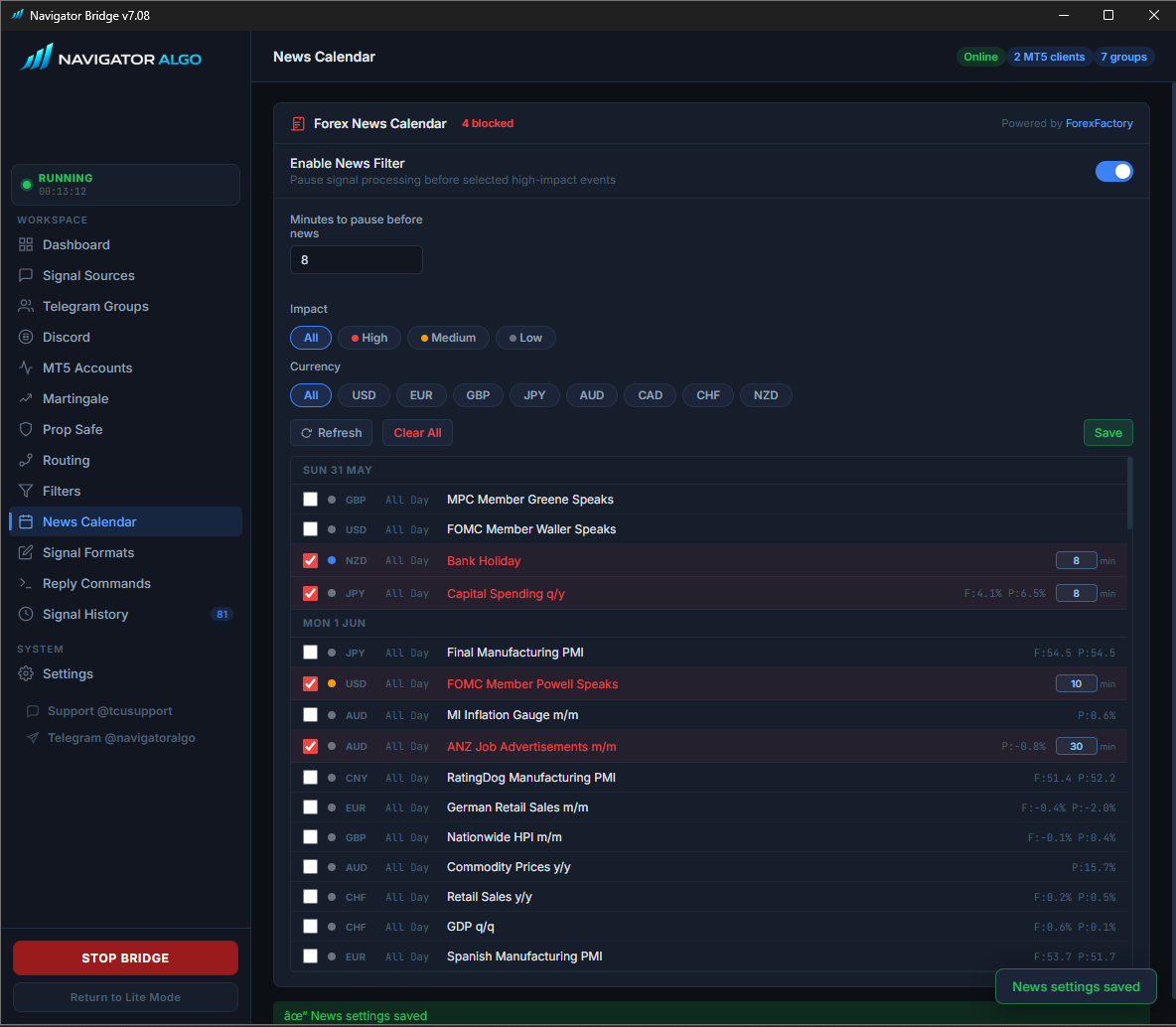
Automatically protect your capital from high-impact volatility.
The Bridge constantly fetches the live ForexFactory calendar. You can configure it to automatically pause all signal processing X minutes before high or medium-impact events for specific currencies. The visual calendar lets you explicitly block or unblock specific news releases on the fly.
Teach the Bridge to speak any language.
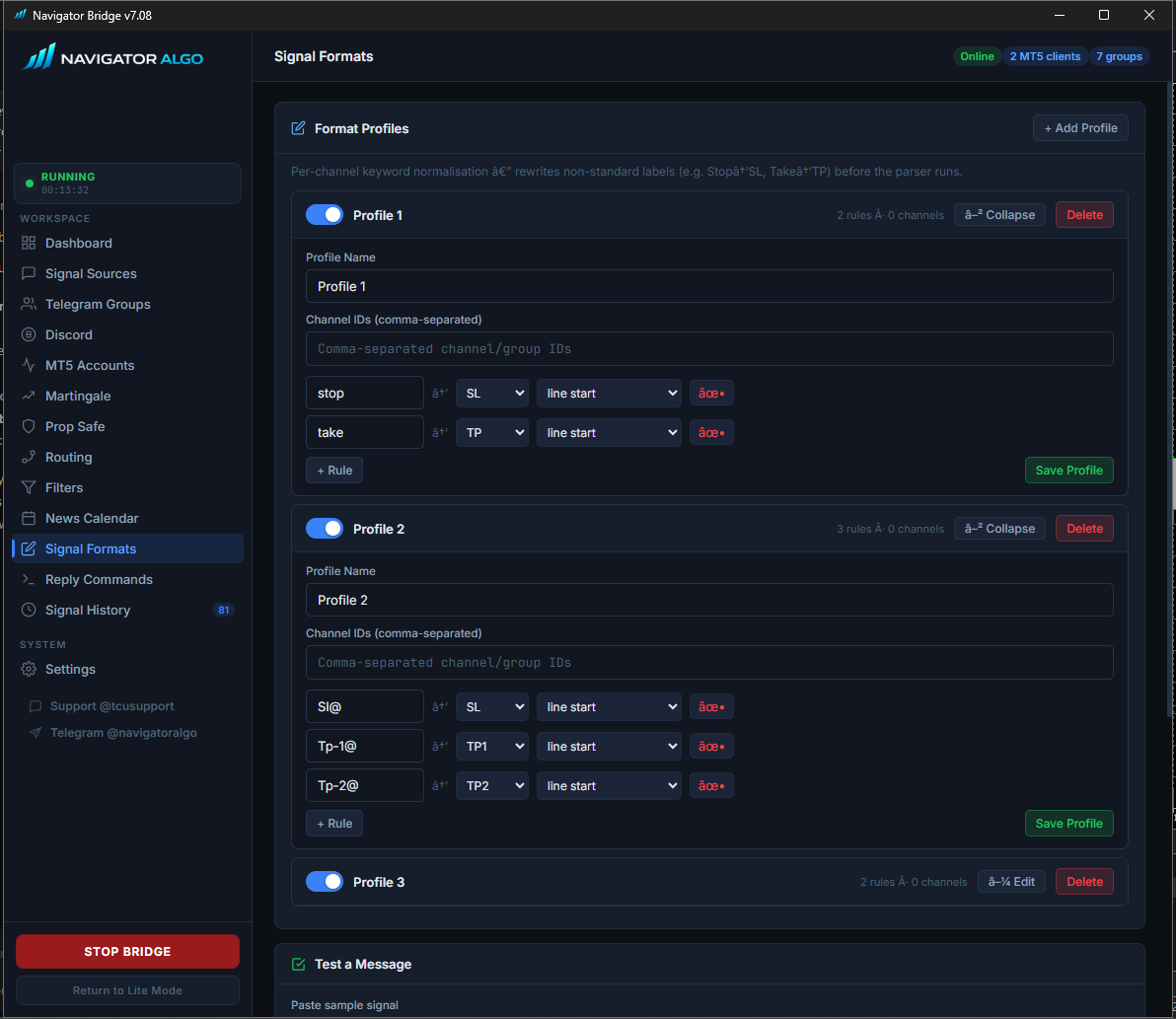
Fix bad signal formats automatically using Per-Channel Profiles.
If a provider writes Target: 2050 instead of TP: 2050, create a rule to replace it. The Bridge applies this rule the millisecond the message arrives, normalizing it before it hits the Copier EA.
Manage trades via Telegram Replies.
Turn your provider's commentary into actionable MT5 commands.
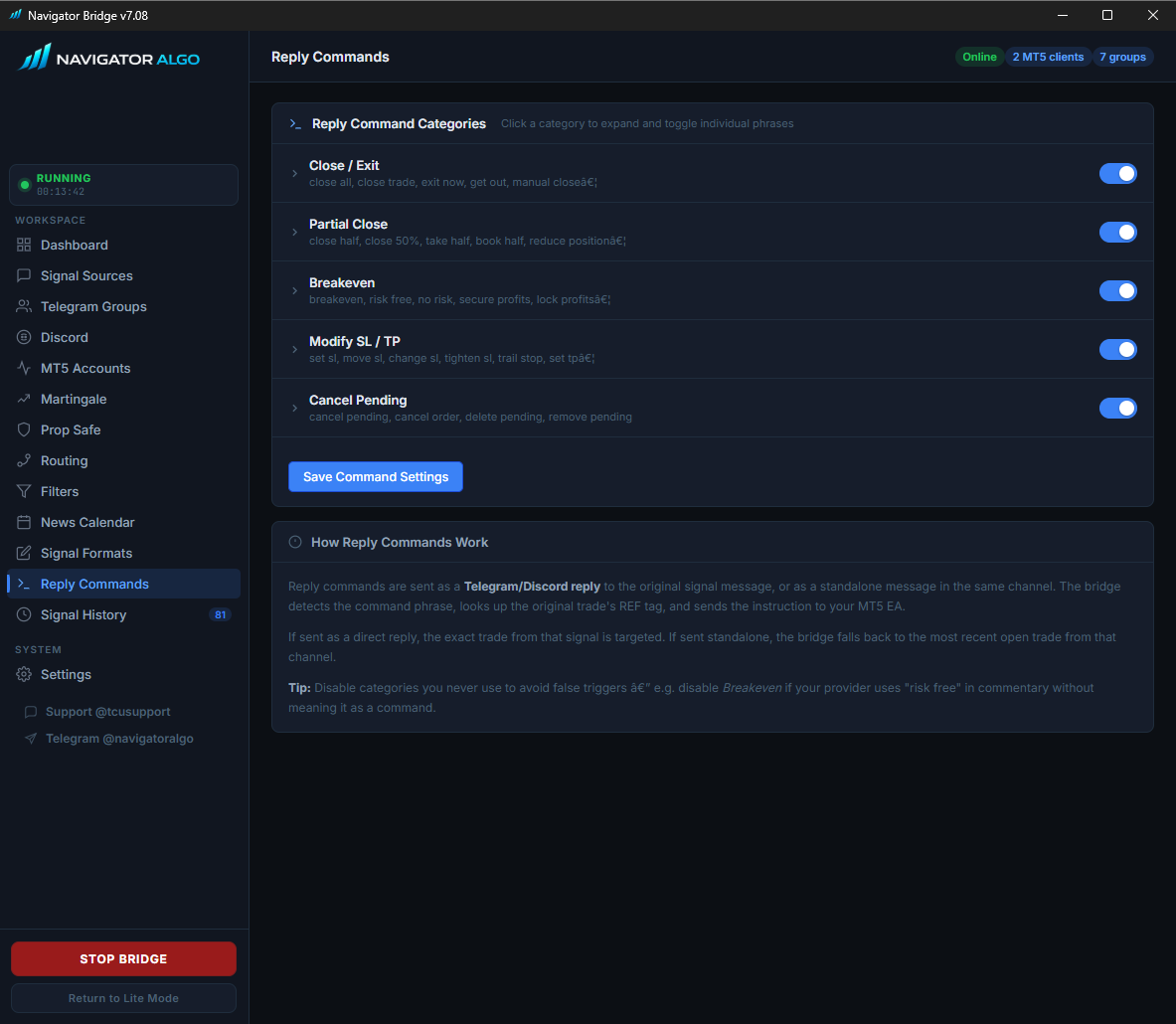
When a provider replies to a signal with "close half" or "move sl to entry", the Bridge detects the phrase, looks up the original trade ticket from the replied message, and instantly sends a precise modification command to your MT5 EA. Enable or disable command categories to prevent false triggers.
A complete Audit Trail.
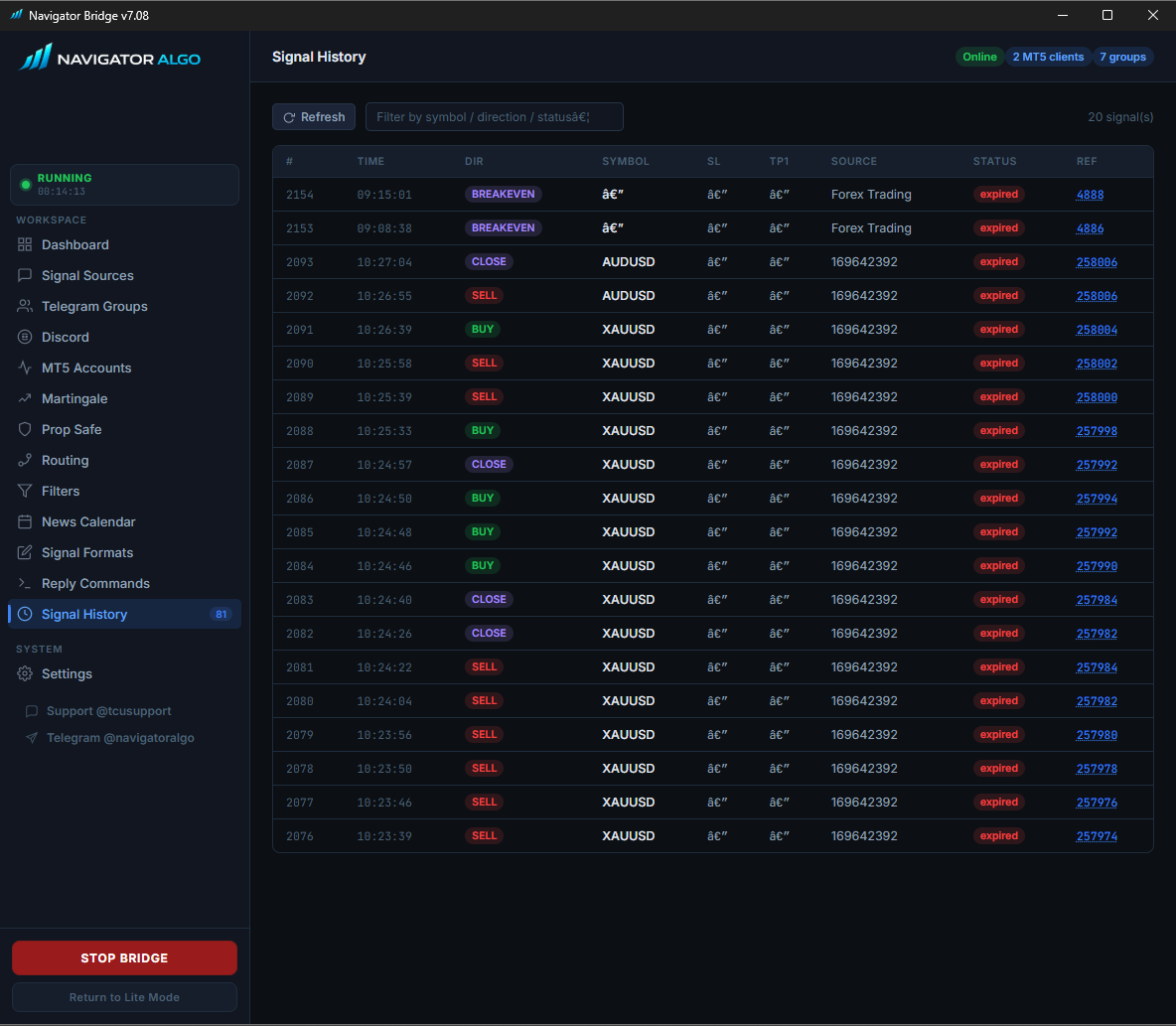
The Bridge keeps a complete ledger of every signal and trade.
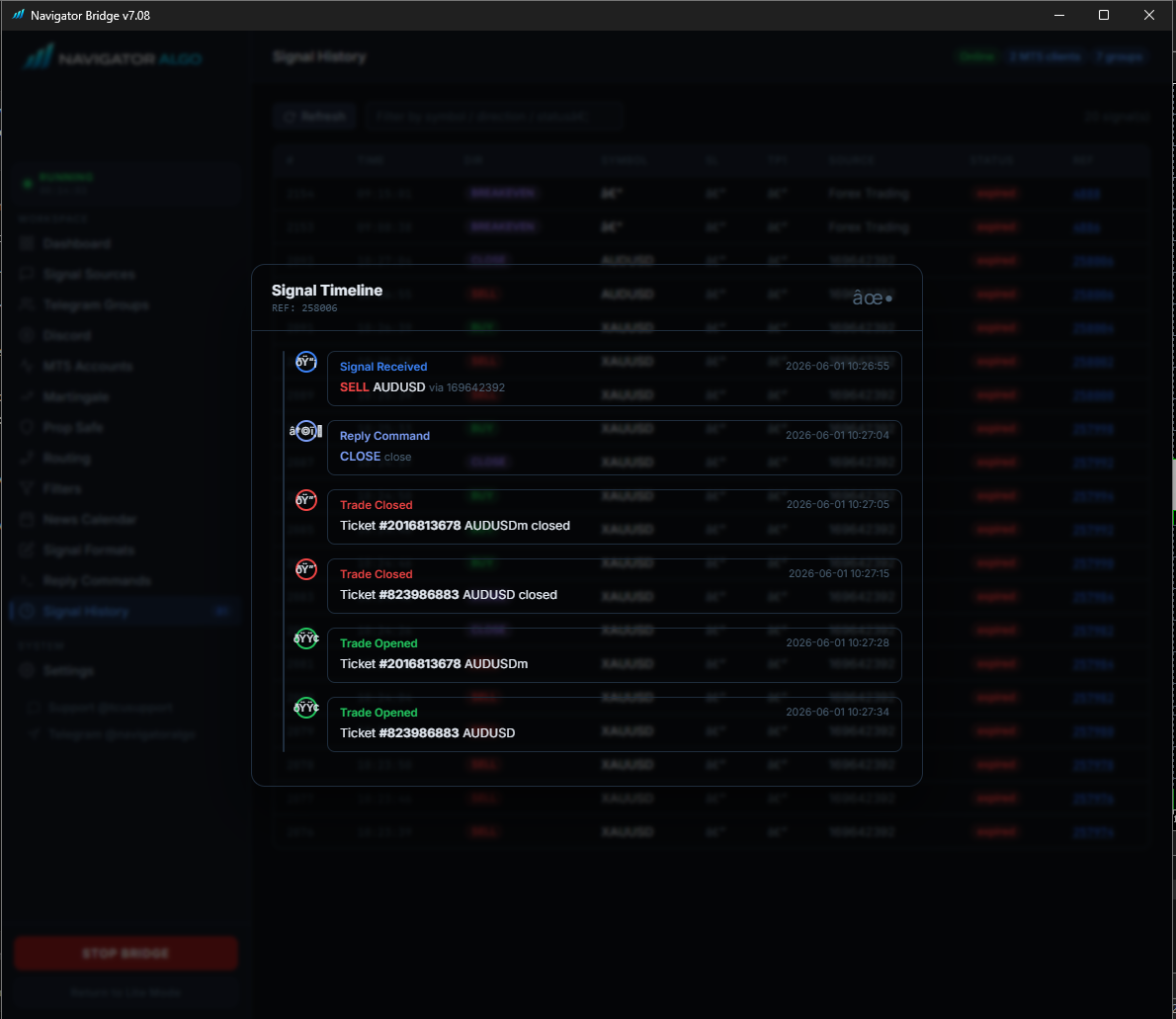
The Signal History tab lists all processed messages. The v7 Signal Timeline lets you click any signal to see a chronological breakdown of when it was received, when trades were opened, when reply commands were processed, and when the ticket was finally closed in MT5.
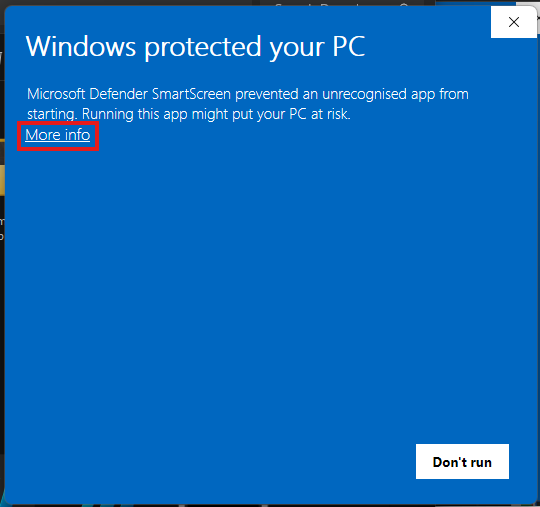
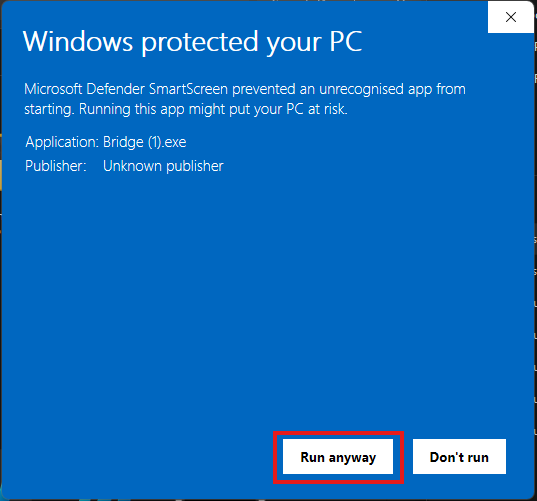
Windows SmartScreen.
Because the Bridge is a new executable downloaded from the internet, Windows SmartScreen may flag it. Click "More info" and then "Run anyway" to bypass this warning. The app is completely local and open-source on GitHub.